Phantom and Backpack get most of the spotlight in the Solana wallet conversation, but ask any long time SOL staker which wallet they actually keep their bag in and the answer is often Solflare. It is the wallet that quietly powers a huge slice of Solana staking, ships every staking control most users will ever need, and now bundles a hardware wallet, a debit card, and a polished mobile app. So in 2026, is Solflare still the power user pick, or has the field caught up? Here is the full review.
TL;DR: Quick Verdict
Solflare is the strongest non custodial wallet on Solana for users who care about staking, validator selection, and hardware grade security on a budget. It is free to use, the in app swap is cheap thanks to a Jupiter routed engine, and the new Solflare Shield card is a clever middle ground between hot and cold storage. It is not the slickest social wallet on the network and its multi chain support still leans Solana first, EVM second, but for anyone serious about earning yield on their SOL while keeping their keys, it is hard to beat.
Rating: 4.5 / 5
Best for: long term SOL holders, validator stakers, NFT collectors, and anyone who wants Ledger or NFC hardware backing without leaving the wallet UI.
Skip if: your portfolio is mostly EVM and you live in DeFi protocols on Ethereum or L2s.
What is Solflare?
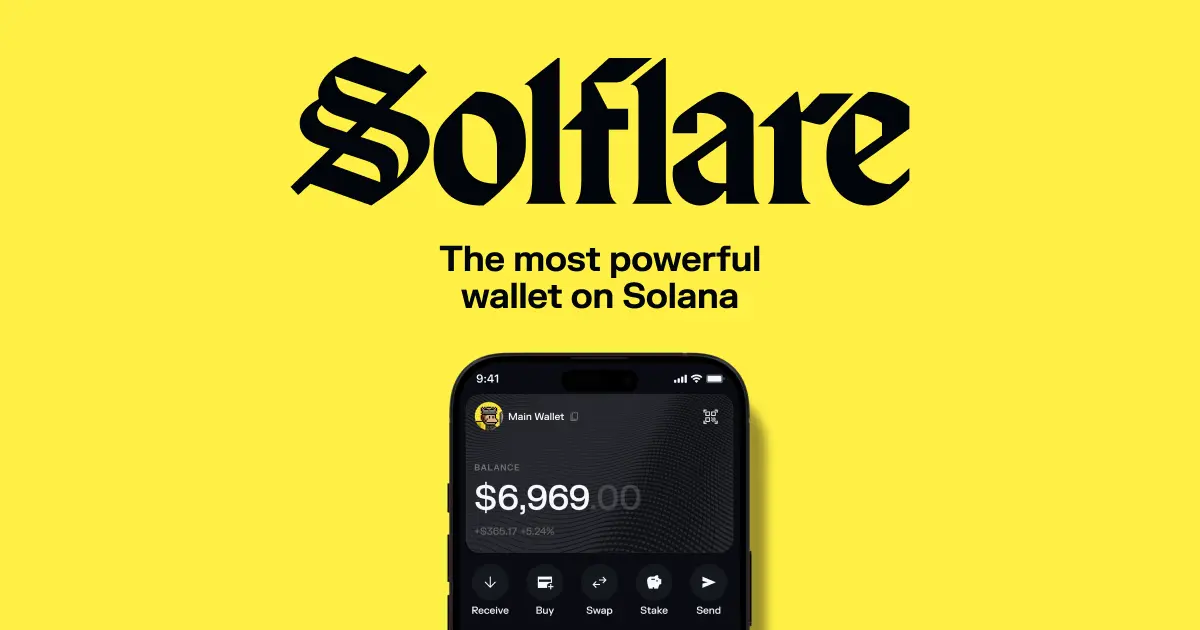
Solflare is a non custodial, Solana first wallet built and maintained by the Solrise team. It launched in 2020 as one of the earliest staking focused Solana wallets and has since grown into a full ecosystem product line: a browser extension, a web wallet, native iOS and Android apps, a hardware integration with Ledger, the new Solflare Shield NFC card, and a Solflare Card debit product for fiat spending.
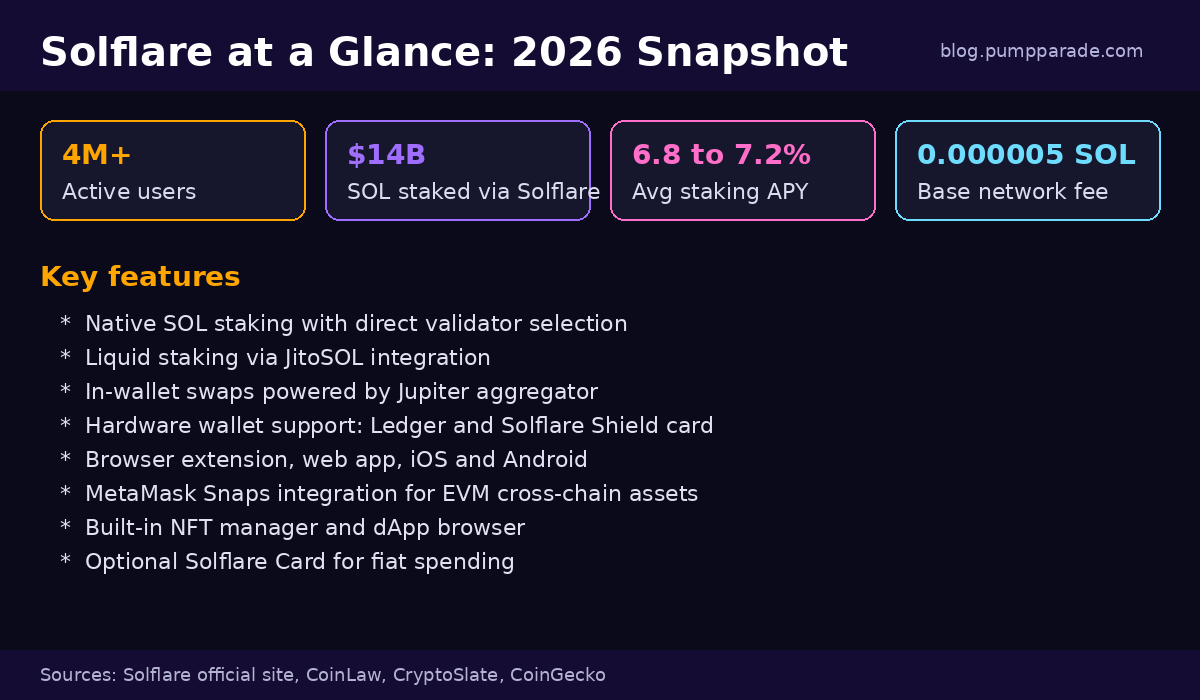
By the numbers, Solflare reports more than 4 million active users and over $14 billion in SOL staked through the wallet as of January 2026. Those figures, paired with audits from Kudelski Security and a steady release cadence, make it one of the most credible non custodial options in the Solana ecosystem.
Solflare is also one of the wallets specifically integrated into the Solana Saga and Solana Mobile Seeker phones, which is why you will often see it bundled in mobile first onboarding flows.
Features Deep Dive
Native and liquid SOL staking
Staking is the feature that put Solflare on the map and it is still the most polished part of the product. You can stake directly to any active validator on the network, see real time APY estimates, and split your stake across multiple validators from a single dashboard. Standard unstake follows the normal Solana cooldown, but Solflare also offers an instant unstake option that taps a liquidity pool to give you SOL back the same epoch for a small fee. For users who want yield without the lockup, the wallet plugs straight into JitoSOL liquid staking, so you can earn MEV boosted rewards and still trade your stake.
Average APYs in early 2026 sit between 6.8% and 7.2%, in line with the broader Solana staking range, with rewards auto compounded into your validator stake.
Swaps and trading
Solflare routes its in wallet swap through the Jupiter aggregator, which means you usually get the same price you would get on jup.ag itself, with the convenience of staying inside the wallet. There is a configurable slippage tolerance, MEV protection toggle, and a quote refresh that updates every few seconds. For most everyday SOL, USDC, JUP, JTO, or PYTH swaps the impact is tiny, although illiquid memecoins still suffer the same slippage you would see on any DEX.
NFTs and collectibles
Solflare has a clean NFT manager with rarity data, collection grouping, and a quick listing flow into the major Solana NFT marketplaces. It supports compressed NFTs, which is a must in 2026 given how much of Solana NFT volume is now compressed. You can also burn unwanted spam NFTs to reclaim a small amount of SOL in rent.
Hardware wallet support
Two routes here. The classic option is Ledger, with full sign and stake support over USB or Bluetooth on mobile. The 2026 addition is the Solflare Shield card, an NFC enabled, battery free hardware card. You tap it on the back of your phone to sign transactions, which keeps the private key off the phone but keeps the user experience as fast as a hot wallet. It is one of the more interesting hardware launches of the year and works well for users who want better security than a pure software wallet without carrying a Ledger Nano around.
Multi chain via MetaMask Snaps
Solflare is still Solana first, but the team has shipped a MetaMask Snaps integration that lets you manage Ethereum and other EVM chain assets from inside the wallet. Bridges are exposed in app, so you can move assets across without leaving Solflare. It is not as broad as a true multi chain wallet, but it covers the 80 percent case for crypto users who occasionally touch ETH or an L2.
Solflare Card
The Solflare Card is a Visa debit card backed by your SOL or USDC balance. It works anywhere Visa is accepted, with no monthly fees and competitive currency conversion when you spend in USD. Spending in non USD currencies adds a foreign exchange markup that pushes the effective fee higher, so it is best treated as a USD focused card for travel and online checkout.
Fees and Pricing
Solflare itself is free. The wallet, the apps, and the staking dashboard cost nothing to download or use. What you pay falls into three buckets:
1. Network fees. Standard Solana base fees of 0.000005 SOL per transaction, which at the current SOL price is a fraction of a cent. Priority fees apply on congested mints and trending memecoin trades.
2. Swap fees. The in wallet swap takes a small platform fee on top of the Jupiter routing fee, typically in the 0.5% range depending on the pair. For high liquidity pairs you will rarely notice it. For long tail tokens, you should always compare against jup.ag directly before signing.
3. Optional product fees. Instant unstake charges a liquidity based fee that varies with utilization. The Solflare Card adds an FX markup on non USD spending. Fiat on ramps inside the wallet are powered by third party providers like MoonPay and Banxa, and those carry their own 1% to 4% spread depending on payment method.
Compared to Phantom, fees are roughly equivalent on swaps and identical on network costs. The biggest cost differences show up in instant unstake and fiat on ramps, both of which depend on third party providers and can vary day to day.
Pros and Cons
Pros
- Best in class staking flow with direct validator selection and liquid staking via JitoSOL
- Free to use with no upfront or monthly fees
- Hardware wallet support including the new Shield NFC card
- Jupiter routed swaps for competitive pricing
- Strong security record, Kudelski audits, and 4 million plus active users
- Native iOS, Android, web, and extension parity
- MetaMask Snaps integration extends usage to EVM chains
- Optional Solflare Card for spending without leaving the ecosystem
Cons
- Multi chain experience is still Solana first, lighter on EVM than dedicated multi chain wallets
- Instant unstake fee can spike during high redemption demand
- UI is functional and dense, not as flashy as Phantom or Backpack
- FX markup on Solflare Card spending in non USD currencies
- Customer support is mostly community driven via Discord and X
Security and Trust
Solflare has been audited by Kudelski Security, with the audit reports linked from its official documentation. The team is publicly known, the code is partially open source, and the wallet has not had a major compromise on its core software in the years it has been live. As with any non custodial wallet, the largest attack surface is still the user: phishing, malicious dApps, and seed phrase leaks remain the most common ways funds get drained on Solana.
The Shield card is a meaningful security upgrade because it removes the private key from the phone entirely. For users who want true cold storage, the Ledger integration is the right call, with offline signing and PIN protection. The wallet also exposes a transaction simulation step before signing, which catches a number of common drainer patterns by showing you what tokens are about to leave your account.
One thing to know: the Solflare Card is a partner product issued through a regulated card issuer, not Solflare itself, so it has its own KYC and terms. Read those before relying on it for primary spending.
User Experience
Solflare prioritizes capability over polish. The interface is clean and modern, but it shows you more options than most consumer wallets do. For a power user that is a feature, since you can pick the validator, set custom slippage, control priority fees, and toggle MEV protection without diving into a settings menu. For a brand new user it can feel slightly busier than Phantom.
The mobile app is the surprise winner of this review cycle. The 2026 redesign cleaned up the staking and swap flows, added Face ID and biometric unlock, and introduced a much faster transaction queue when network congestion spikes. dApp connection via WalletConnect and Solana Mobile Stack is reliable, and the deep linking into the iOS and Android browsers actually works the first time, which is not always true of competitor wallets.
The browser extension is solid and lightweight. It supports multiple accounts, hardware accounts, and watch only addresses, and it lets you simulate any pending transaction with a single click before approving.
Solflare vs Phantom vs Backpack
If you have read our Phantom vs Backpack comparison, here is where Solflare slots into the picture. Phantom wins on UX polish and brand awareness, Backpack wins on cross app account abstraction and exchange integration, Solflare wins on staking depth and hardware support. The honest answer in 2026 is that most active Solana users have at least two of these installed: a daily driver for fast on chain interactions and a second wallet for staking, NFT collections, or hardware backed signing. Solflare is the most defensible second wallet, and for staking heavy users it is often the daily driver.
Verdict and Rating
Solflare in 2026 is a serious, mature wallet that has aged well. The staking experience is still the gold standard on Solana, the addition of the Shield card is a real innovation, and the mobile redesign closes most of the UX gap to Phantom. Where it lags is multi chain breadth and visual polish, neither of which matter much if Solana is your primary chain.
Final rating: 4.5 / 5
If you are a long term SOL holder, a validator staker, an NFT collector, or anyone who wants hardware grade signing without leaving the wallet UI, Solflare is the right pick. If you are mostly an EVM user dipping into Solana, a dedicated multi chain wallet is probably a better fit and you can keep Solflare as a side wallet for staking only.
FAQ
Is Solflare safe to use?
Yes. Solflare is non custodial, has been audited by Kudelski Security, and supports Ledger and the Solflare Shield NFC card for hardware backed signing. As with any wallet, the biggest risk is user error: phishing links, fake airdrops, and seed phrase exposure. Always verify URLs and never share your seed phrase.
Does Solflare charge fees?
The wallet itself is free. You pay standard Solana network fees of 0.000005 SOL per transaction, a small platform fee on swaps that adds to the Jupiter routing fee, an instant unstake fee if you skip the cooldown, and an FX markup on Solflare Card spending in non USD currencies.
What is the difference between Solflare and Phantom?
Phantom is broader and more polished, with a stronger UX and better cross chain support out of the box. Solflare is deeper on staking, with direct validator selection, instant unstake, and JitoSOL liquid staking baked in. Power users often run both.
Can I stake SOL on Solflare?
Yes, this is one of Solflare’s flagship features. You can pick any active validator, split your stake, see live APY estimates, and either wait out the standard unstake cooldown or pay a small fee for instant unstake. Liquid staking via JitoSOL is also one tap away.
Does Solflare support hardware wallets?
Yes. Ledger Nano S Plus and Nano X are supported over USB and Bluetooth. The Solflare Shield card is an NFC hardware option that signs by tapping the card to your phone and is available directly from the Solflare team.
Is Solflare available on mobile?
Yes. There are native iOS and Android apps with full feature parity to the web and extension, plus deep integrations with the Solana Mobile Seeker phone.
This article is for informational purposes only and is not financial advice. Cryptocurrency is volatile and you can lose money. Always do your own research.